
How Riisein Simplifies Hiring
Riisein helps employers streamline the hiring process, so you can focus on building great teams, not managing complexity.
Step 1: Register as an Employer
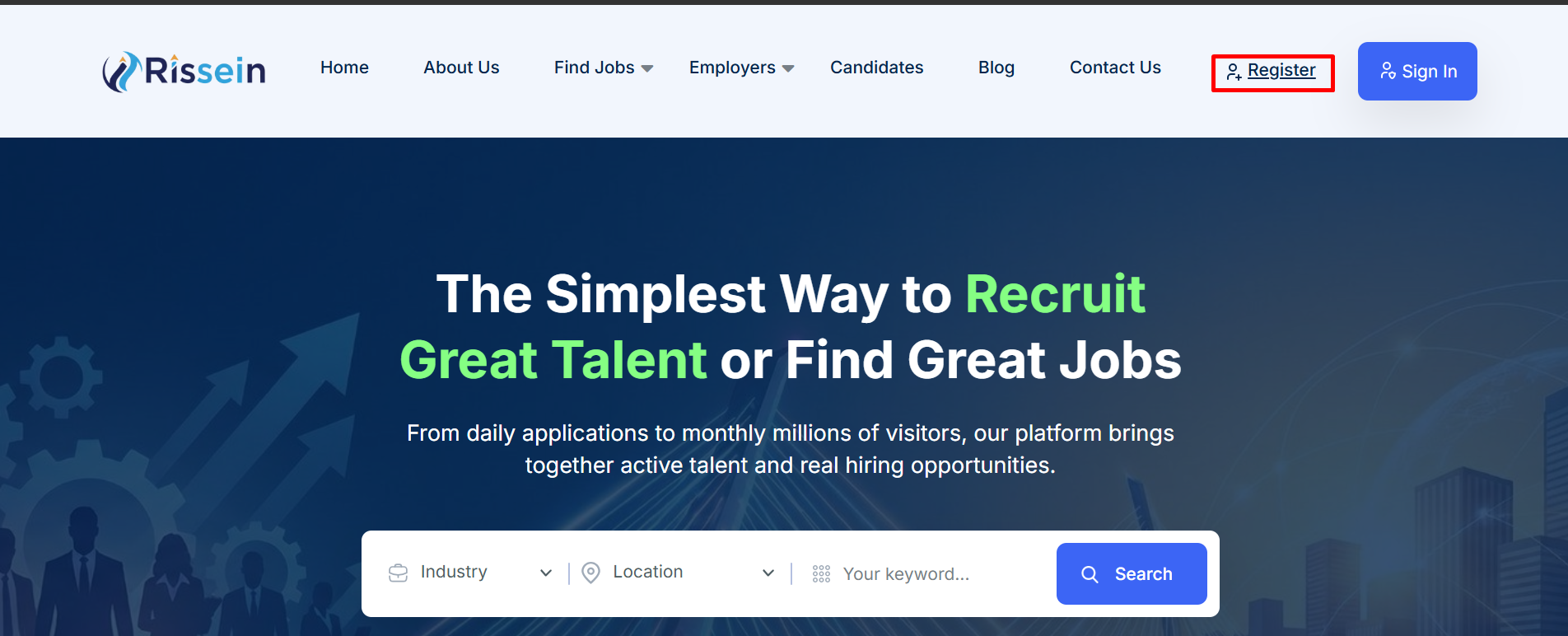
Visit riisein.com and click on register button.
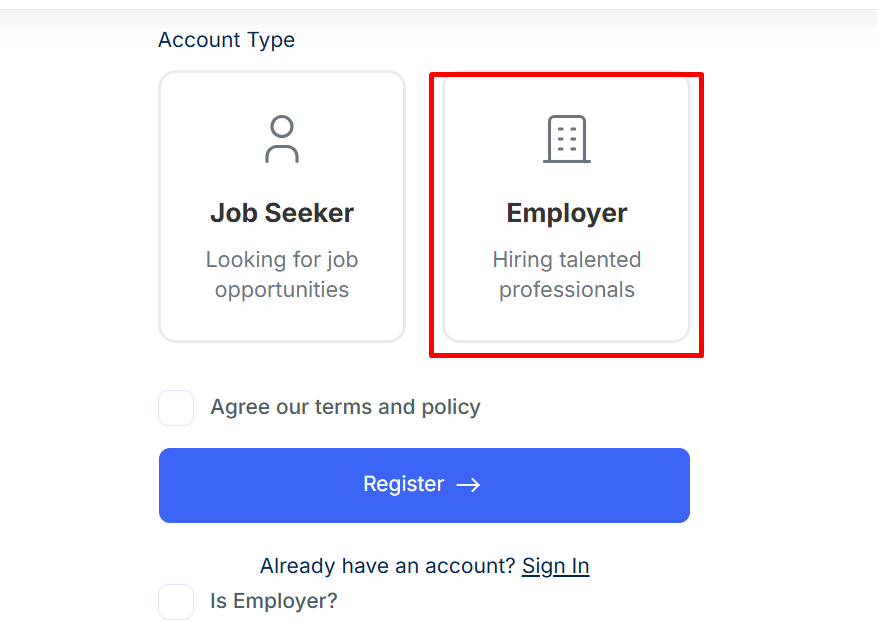
During registration, make sure to select the “Employer” option in the registration form. This is required to access employer features.
Step 2: Log In to Your Employer Account
After successful registration, log in to your employer account using your credentials. You will be redirected to your Employer Dashboard.
Step 3: Ensure You Have Job Posting Credits
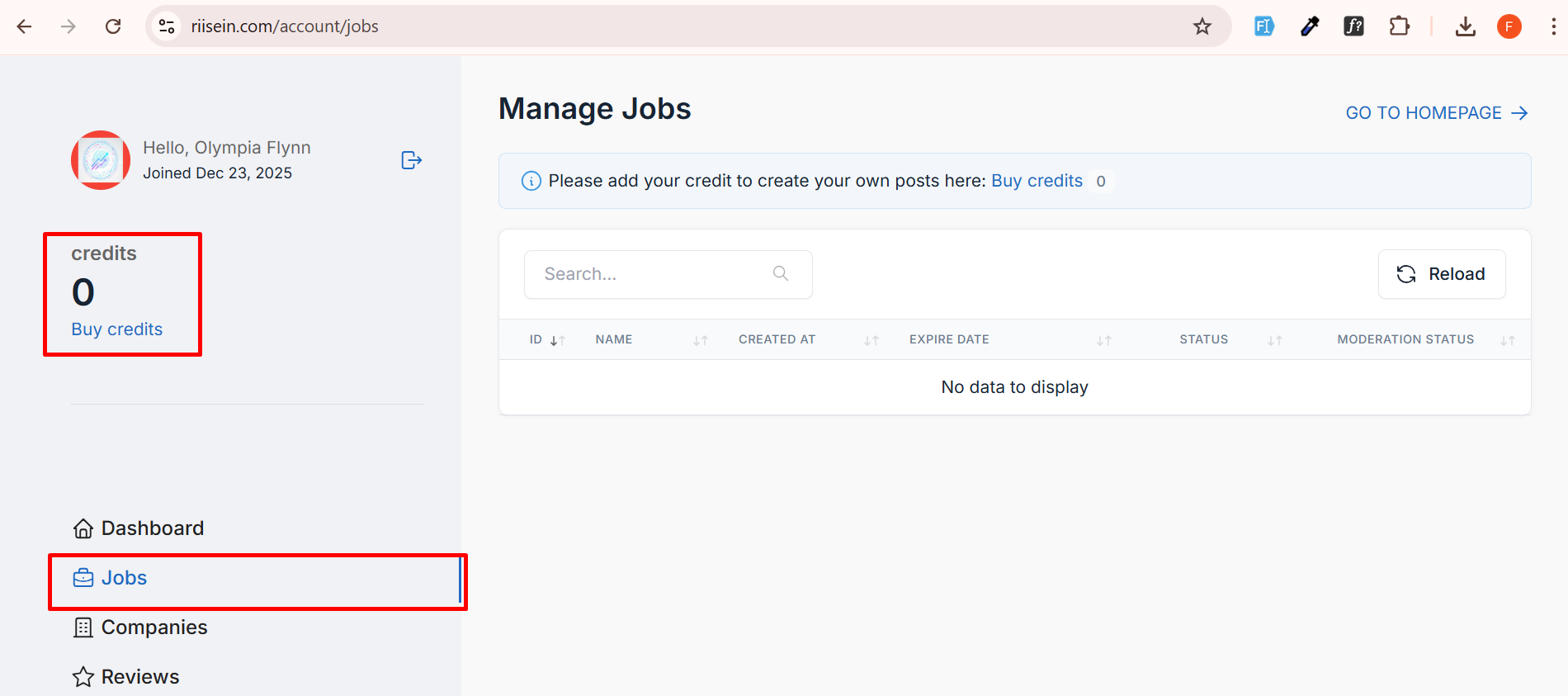
To post a job on Riisein, your account must have at least one (1) active credit.
- If you already have credits, you can proceed to create a job.
If you do not have any credits, you must purchase credits from the available packages.
Step 4: Purchase Credits (If Required)
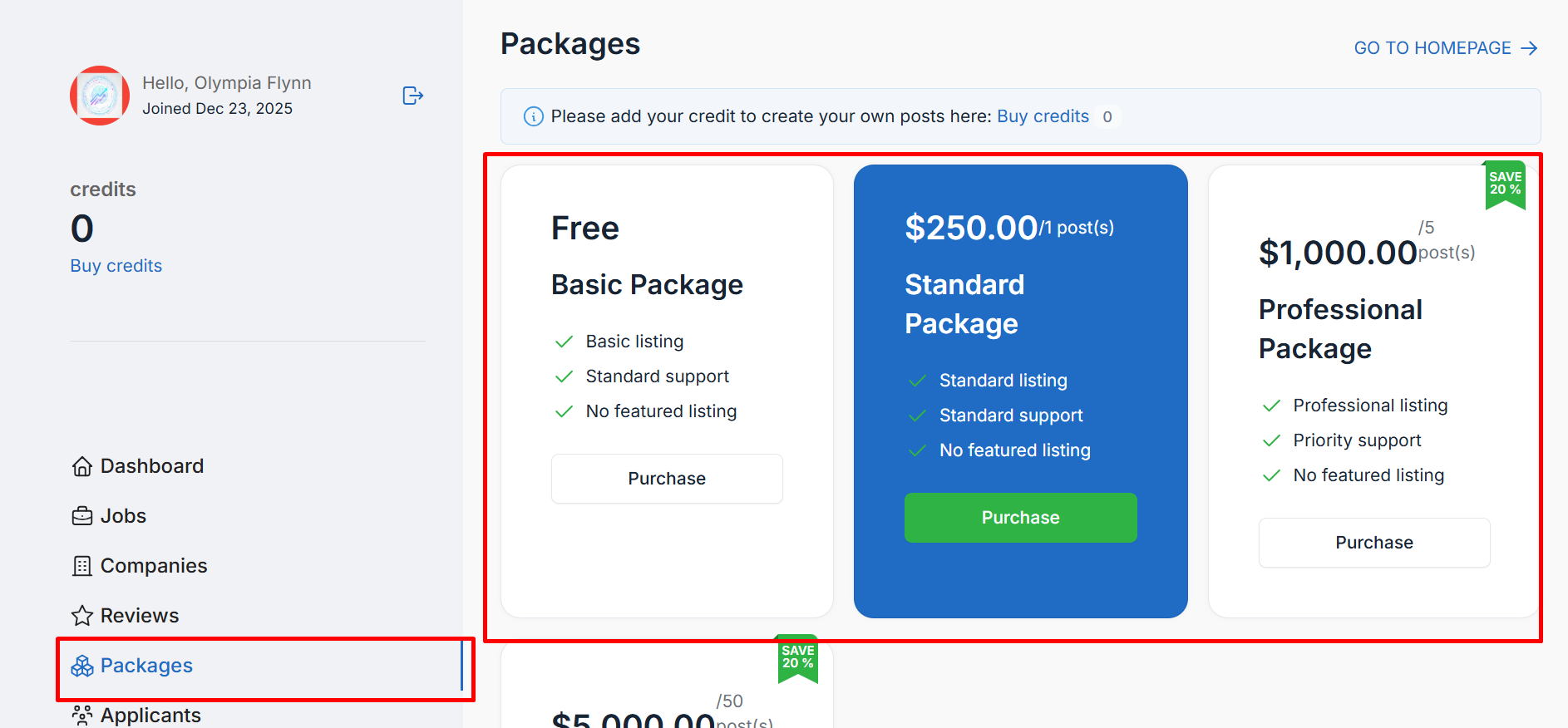
- Go to the Packages section and choose a suitable credit package.
After completing the purchase: - Your total available credits will be displayed on your dashboard.
The “Create Job” option will become available.
Step 5: Create and Submit Your Job Post
- Click on Create Job and carefully fill in all required job details, including:
- Job title
- Job description
- Requirements
- Location and other relevant information
Once completed, submit the job post.
The job status will be marked as Pending for review.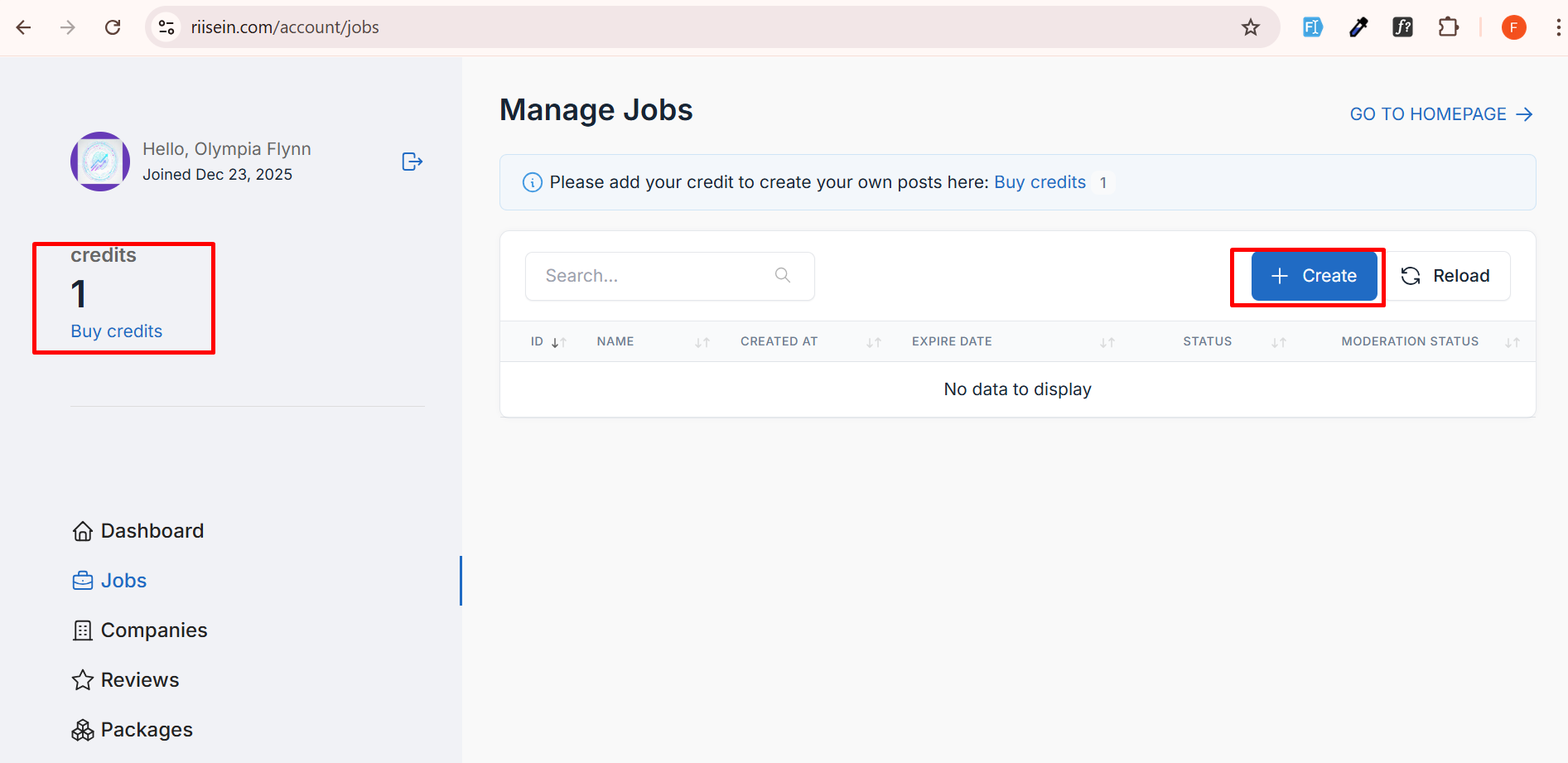
Step 6: Wait for Admin Approval
All job posts are reviewed by the Riisein admin team to ensure quality and compliance.
Please wait for approval. You will be notified once the review is complete.
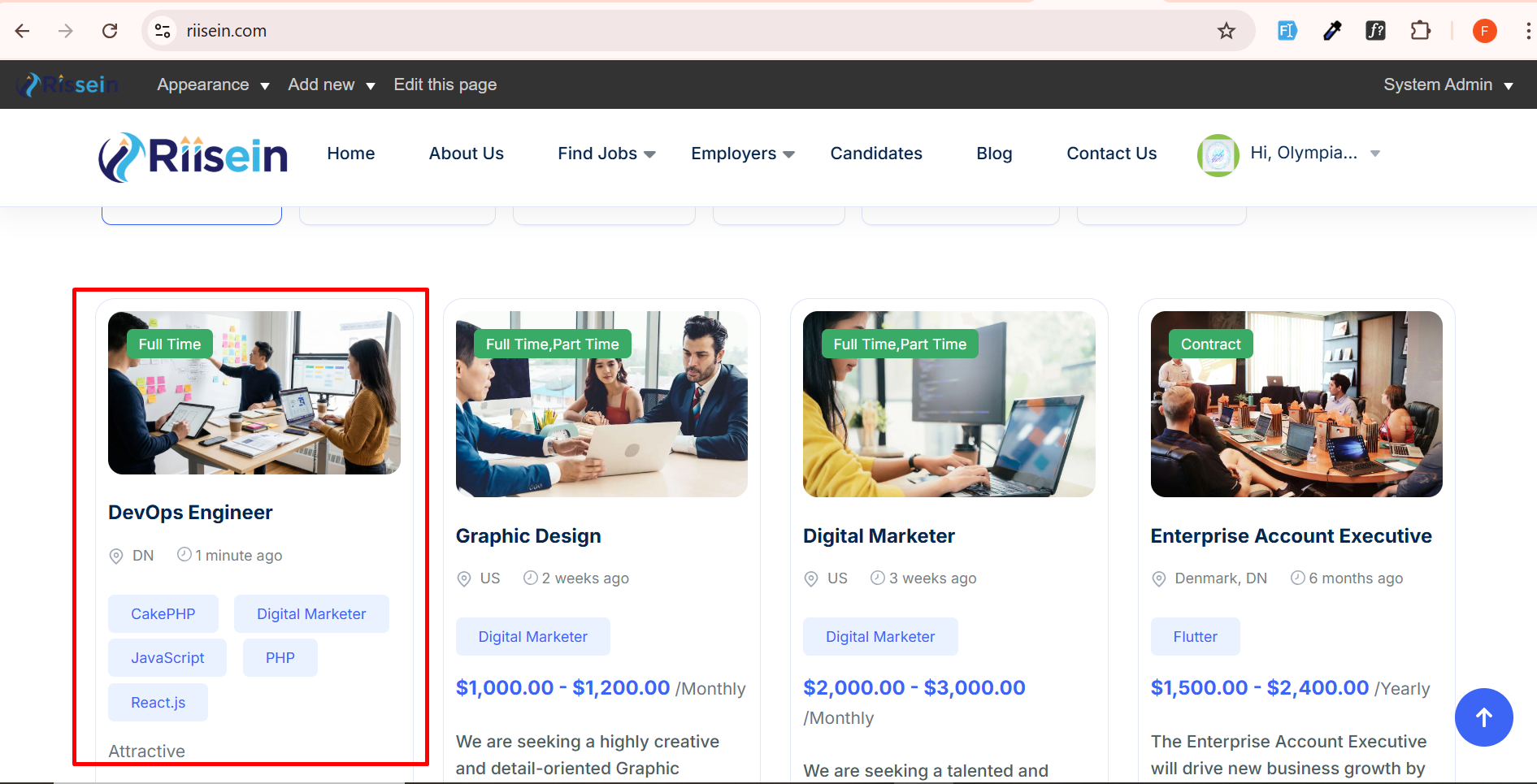
Step 7: Job Published and Visible to Candidates
- After admin approval:
- Your job post will be published
- Candidates can now find your job listing on Riisein
Interested candidates can apply directly to your job
Step 8: View Applications and Candidate Details
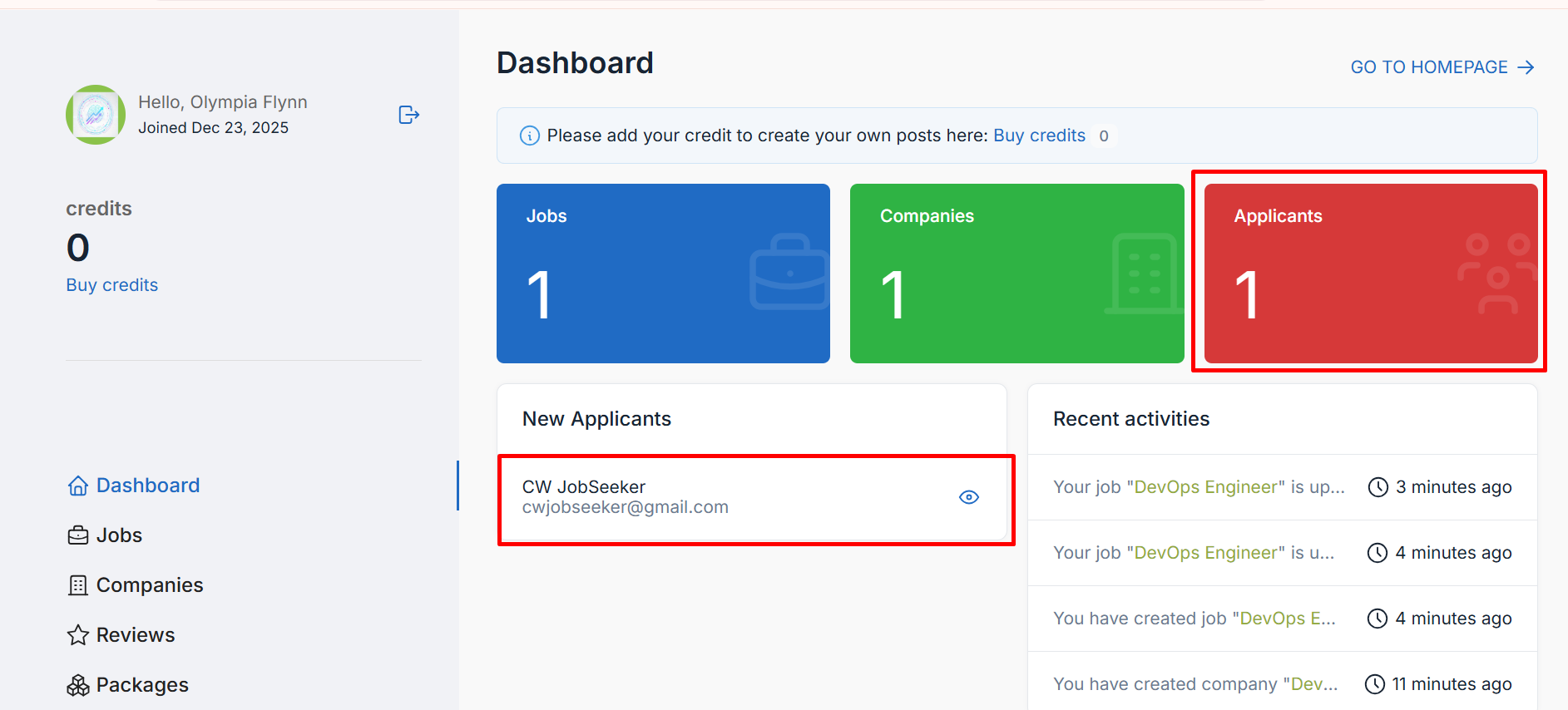
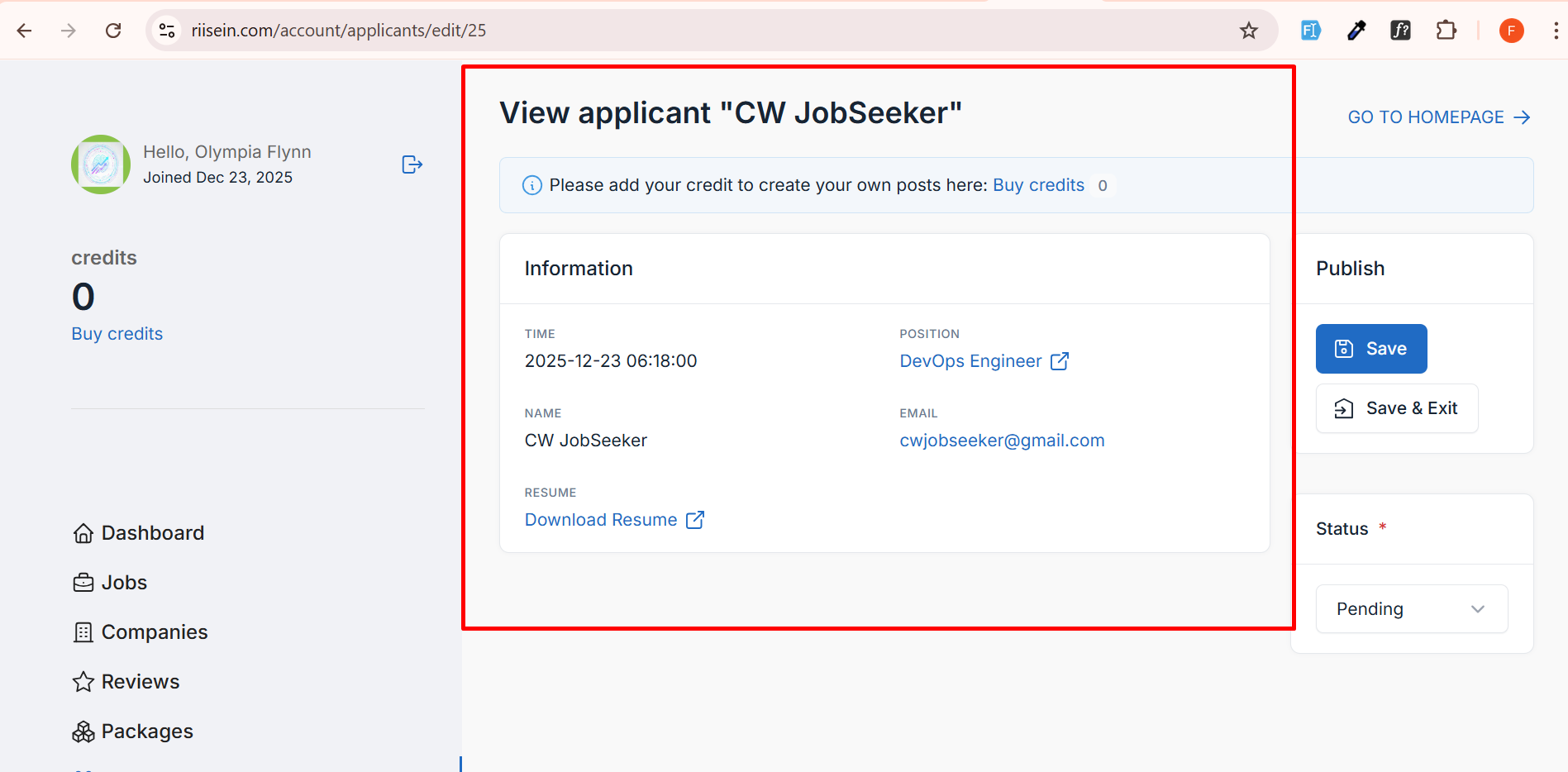
- You can view all applications from your Employer Dashboard, including:
- List of applicants
- Candidate profiles and details
Application status
- Go to the Packages section and choose a suitable credit package.
Riisein provides a reliable hiring platform where every job post is reviewed for quality and compliance. Create a clear job listing, get approved, and start receiving applications from qualified candidates.